

PUSHLIT Validate. Execute. Grow.
From your goal to action. Without losing control.
You say what you want to grow. The agent prepares a clear strategy and the next actions. Nothing goes out without your PUSHLIT.

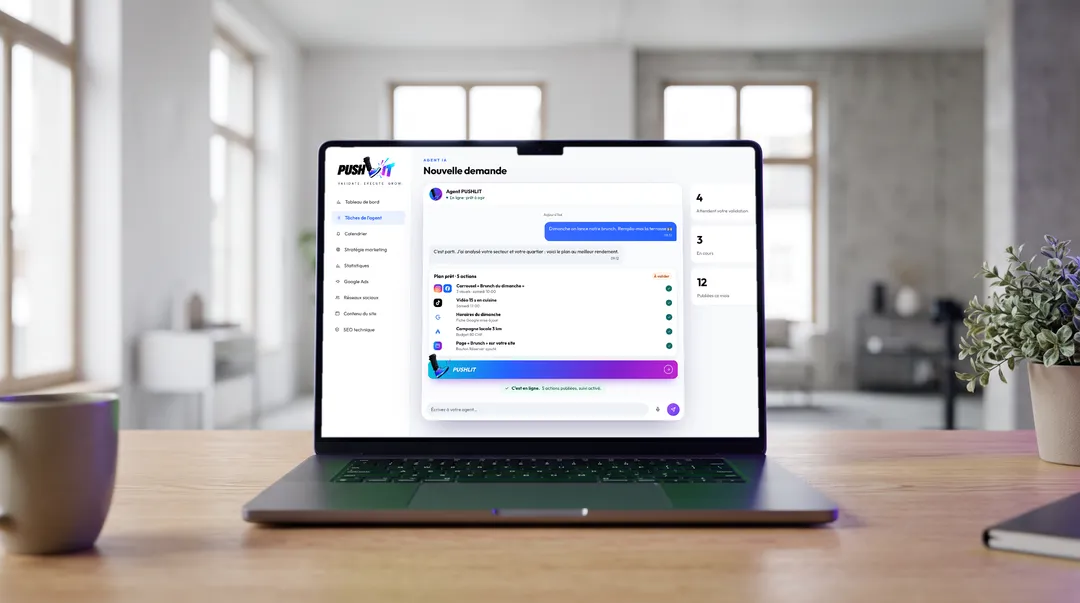
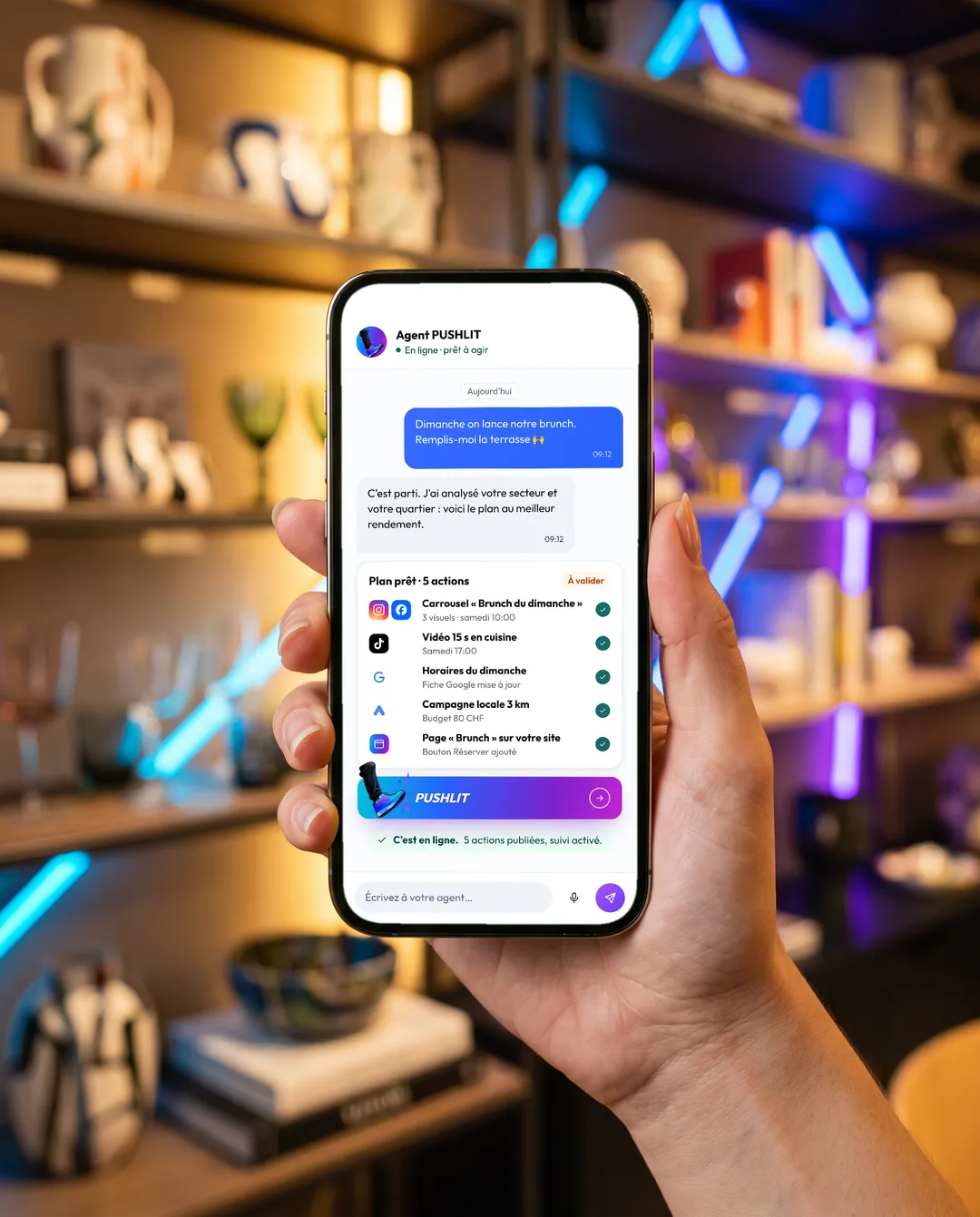
You talk. PUSHLIT updates.
One sentence in the chat. The plan, the copy, the visuals and the campaign are ready.
One sentence. A complete plan.
- You describe it.What you need, in plain language, as you would to a colleague.
- The AI agent prepares.Analysis, visuals, copy, schedule and budget for each channel.
 PUSHLIT agentOnline · ready to act
 Today
- “Sunday brunch” carousel3 visuals · Saturday 10:00
- 15-second kitchen videoSaturday 17:00
- Sunday opening hoursGoogle profile updated
- Local campaign, 3 kmBudget CHF 80
- “Brunch” page on your websiteBook button added
All that's left is to PUSHLIT.
One tap on the button. Everything goes live and tracking starts.
- Published ✓
- Published ✓
- Scheduled ✓
- Profile updated ✓
- Campaign launched ✓
- Website live ✓
1 APP = for all your SOCIALS + and your WEBSITE
- Threads
- YouTube
- TikTok
- Google Business
- Google Ads
- Your website
How it works. In 5 simple steps.
-
Up and running in 5 minutes
Enter your domain name: your website is imported into your PUSHLIT space, with no effort at all.
5 min -
Connect your social accounts
Instagram, Facebook, Google, TikTok, LinkedIn… One click per account, through each platform's official authorisation. No shared passwords.
1 click per network -
Say what you want
In the chat, as you would to a colleague: “Fill the terrace for me on Sunday.” The agent asks you whatever is missing.
1 sentence -
The agent prepares everything
Copy, visuals, schedule and budget: a complete plan, with the cost shown before any decision.
Plan ready to approve -
You PUSHLIT
One tap to approve. Everything goes live at the right time, and you follow the results in figures, week after week.
1 tap
No time to keep up with your communication plan? Welcome to PUSHLIT.
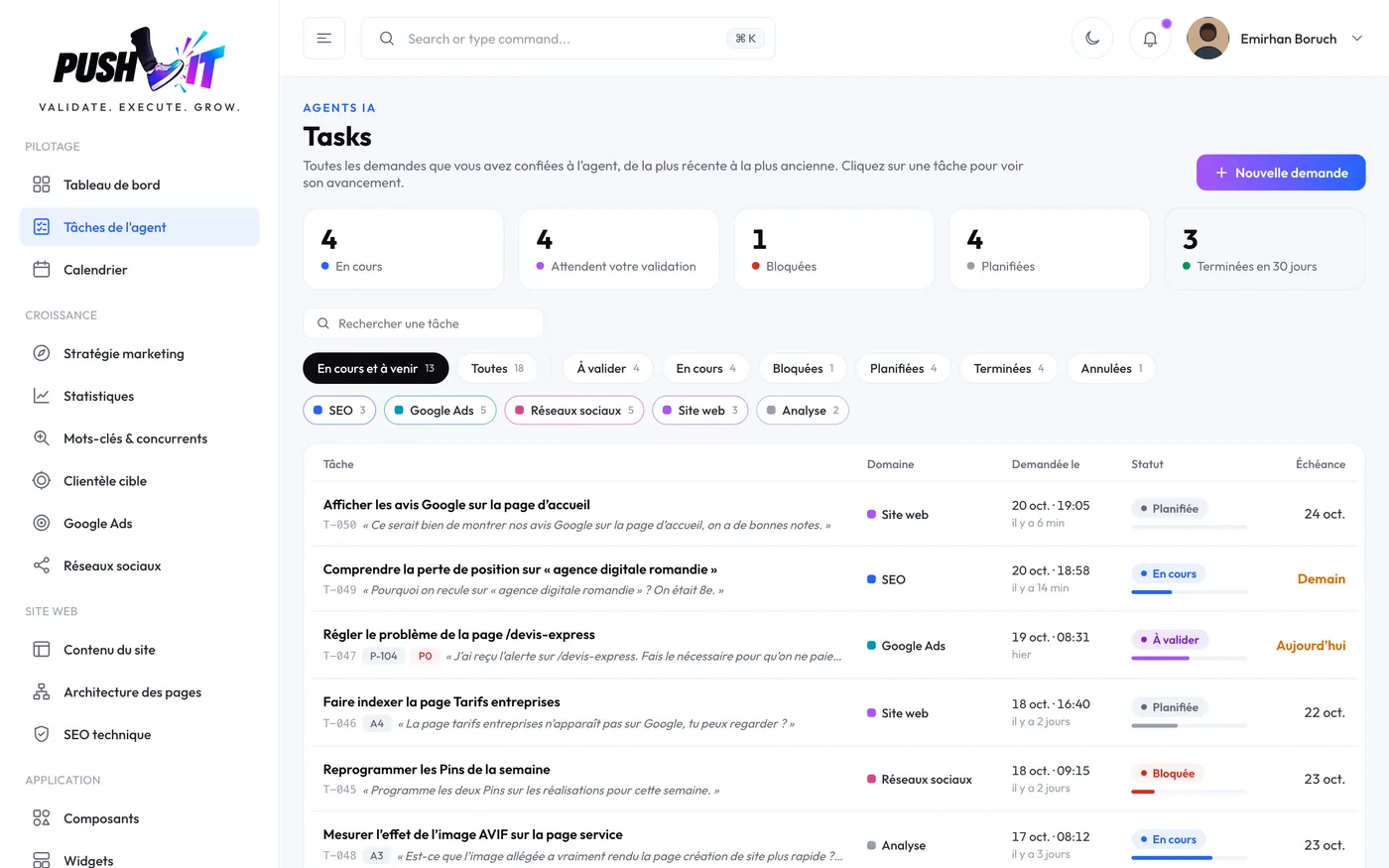
Every post goes out at the right time, on the right channel, to support your sales. And you follow every action live, from proposal to going online.
- DraftThe agent is writing
- ProposedReady to review
- To approveAwaiting your PUSHLIT
- ApprovedYou said yes
- In progressPublishing now
- DoneLive, tracking on
Everything PUSHLIT can do. In a single app.
-
Website creation
A website built page by page around your line of business, designed to turn visitors into customers.
-

Redesign of an existing website
The agent reads your current website, picks up its colours, fonts and tone, then suggests a modernised version.
-

Website updates
A text, opening hours, an offer: the agent proposes the change, you compare it with the live version and approve.
-

Brand guidelines
Logo, colours, fonts, tone and formats: the agent sticks to them before every visual and every update.
-
Ongoing SEO
Indexing, rankings, pages close to the top 10, local searches and presence in AI answers, monitored continuously.
-
Technical SEO
Tags, structured data, speed, sitemap, redirects: the technical rules are checked automatically.
-

Keywords and competitors
Search volume, your ranking and your competitors' rankings tracked every day, opportunities spotted.
-
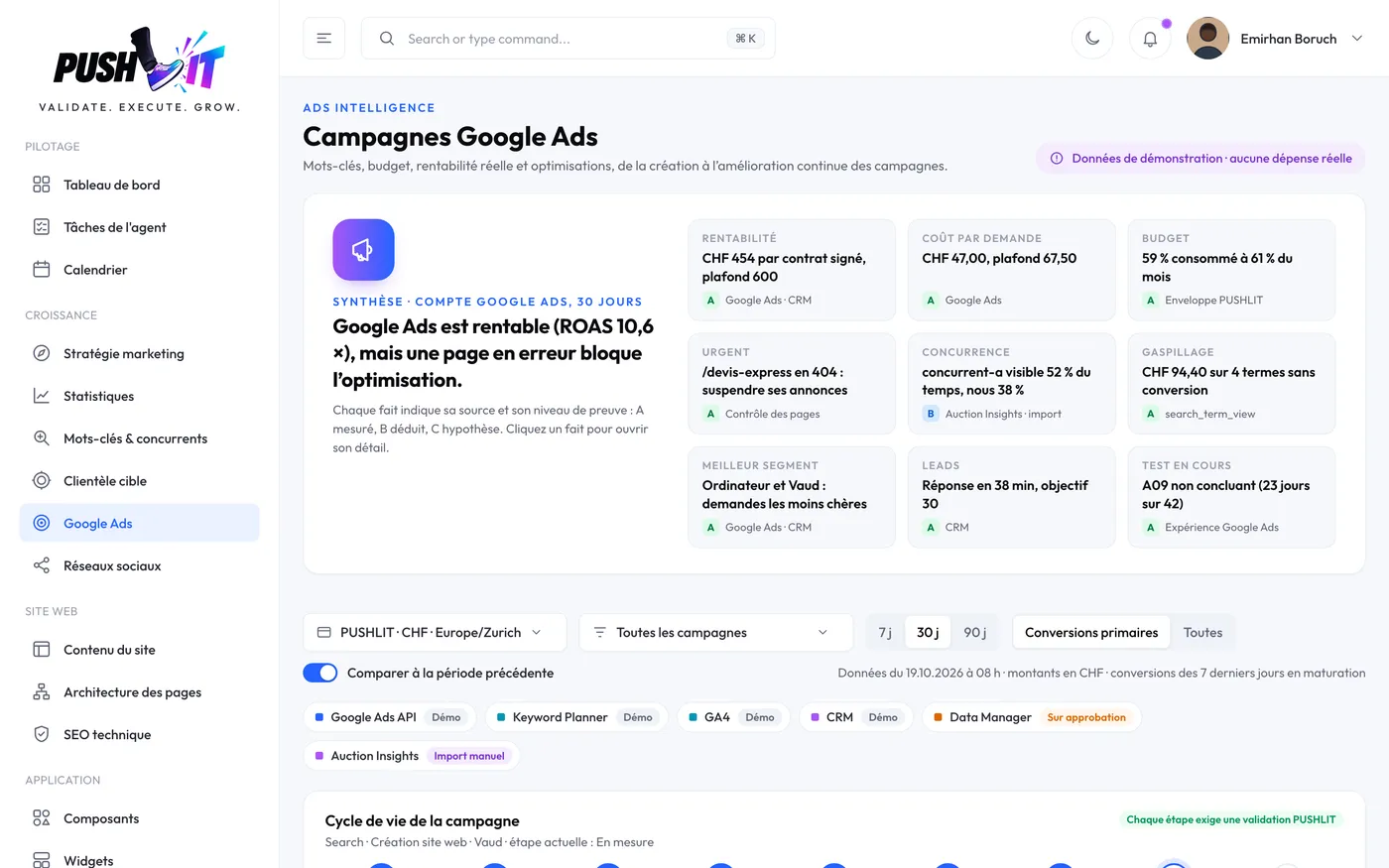
Google Ads campaigns
Keywords, budget, ads and profitability, from creating the campaign to improving it continuously.
-

Social media campaigns
Scheduled posts, checked before they go out, tracked campaigns and paid advertising on your social accounts.
-
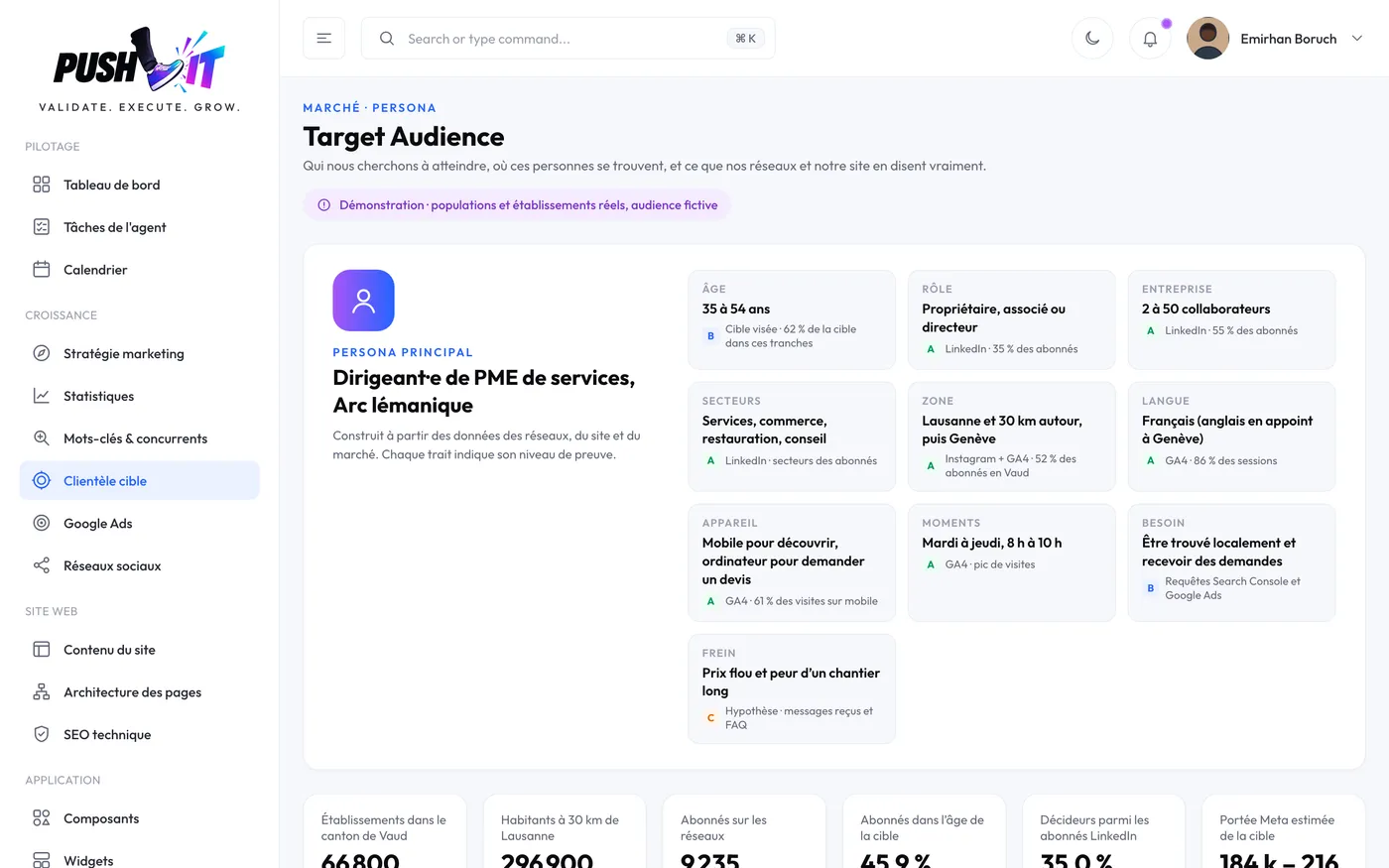
Target audience
Age, interests, cities and active times of your audience, compared with the customers you're aiming for.
-
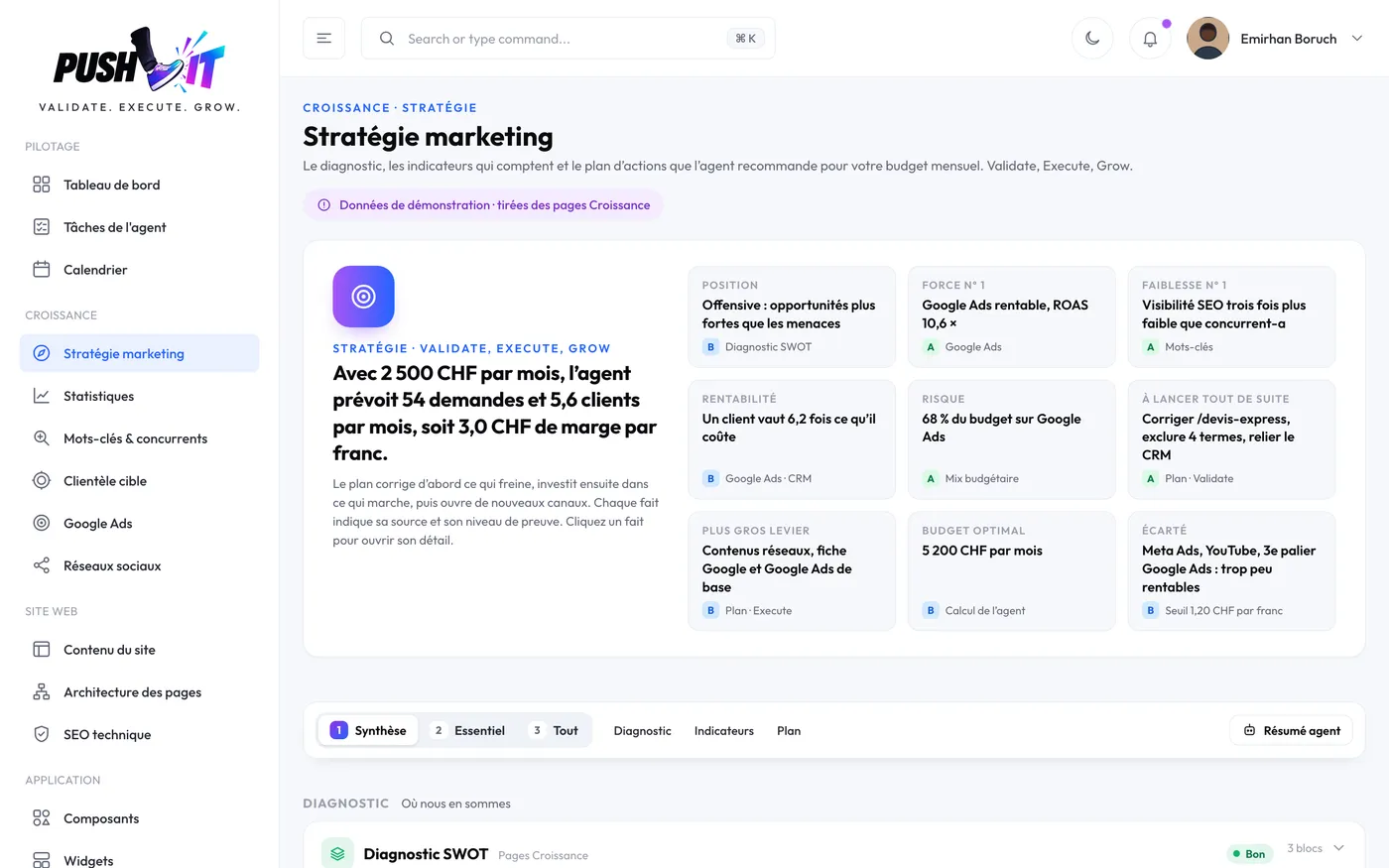
Marketing strategy with figures
Diagnosis, strengths and weaknesses, key indicators and an action plan ranked by priority according to your budget.
-
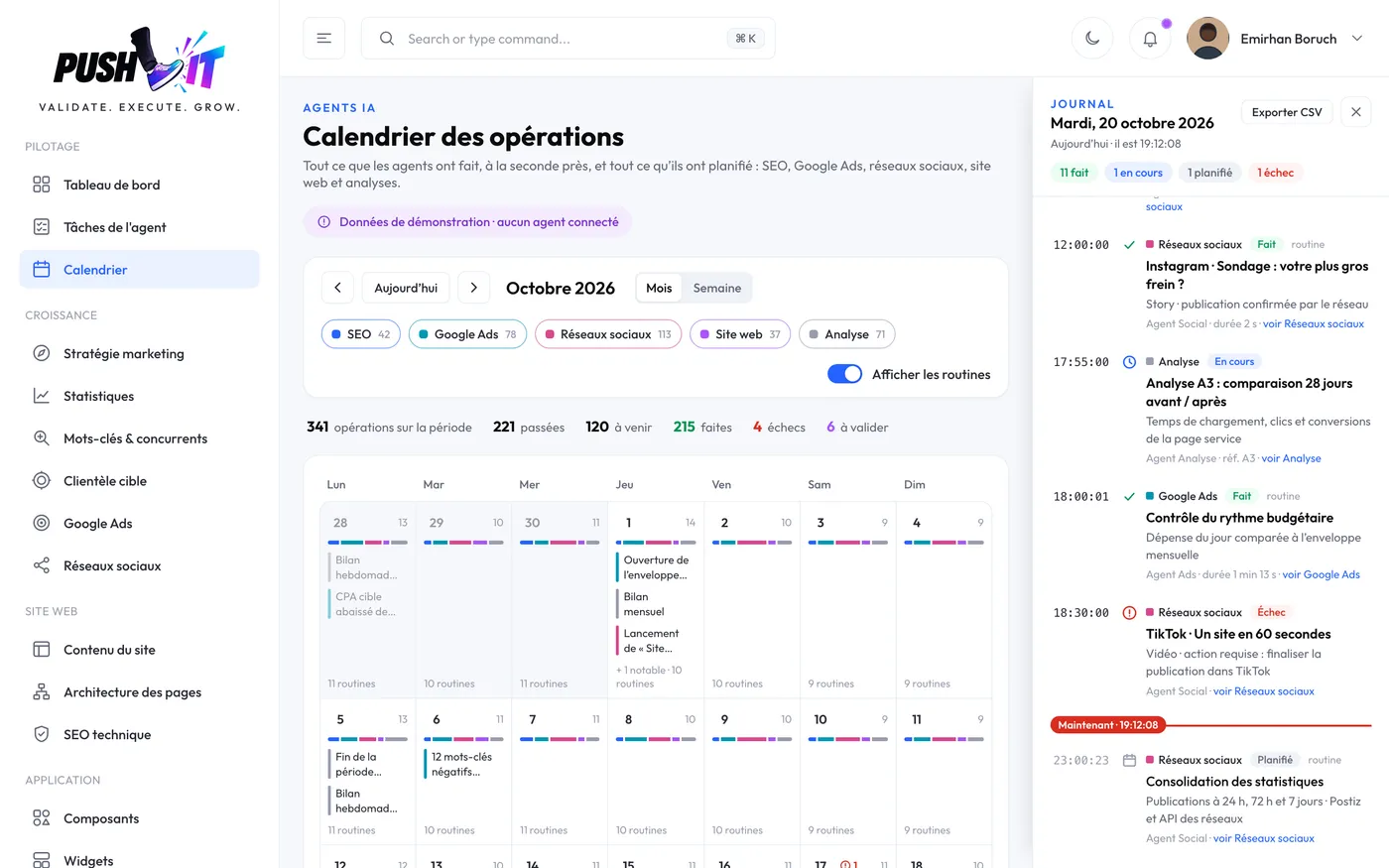
Action calendar
Everything the agent has done and will do, network by network, on a single calendar.
-
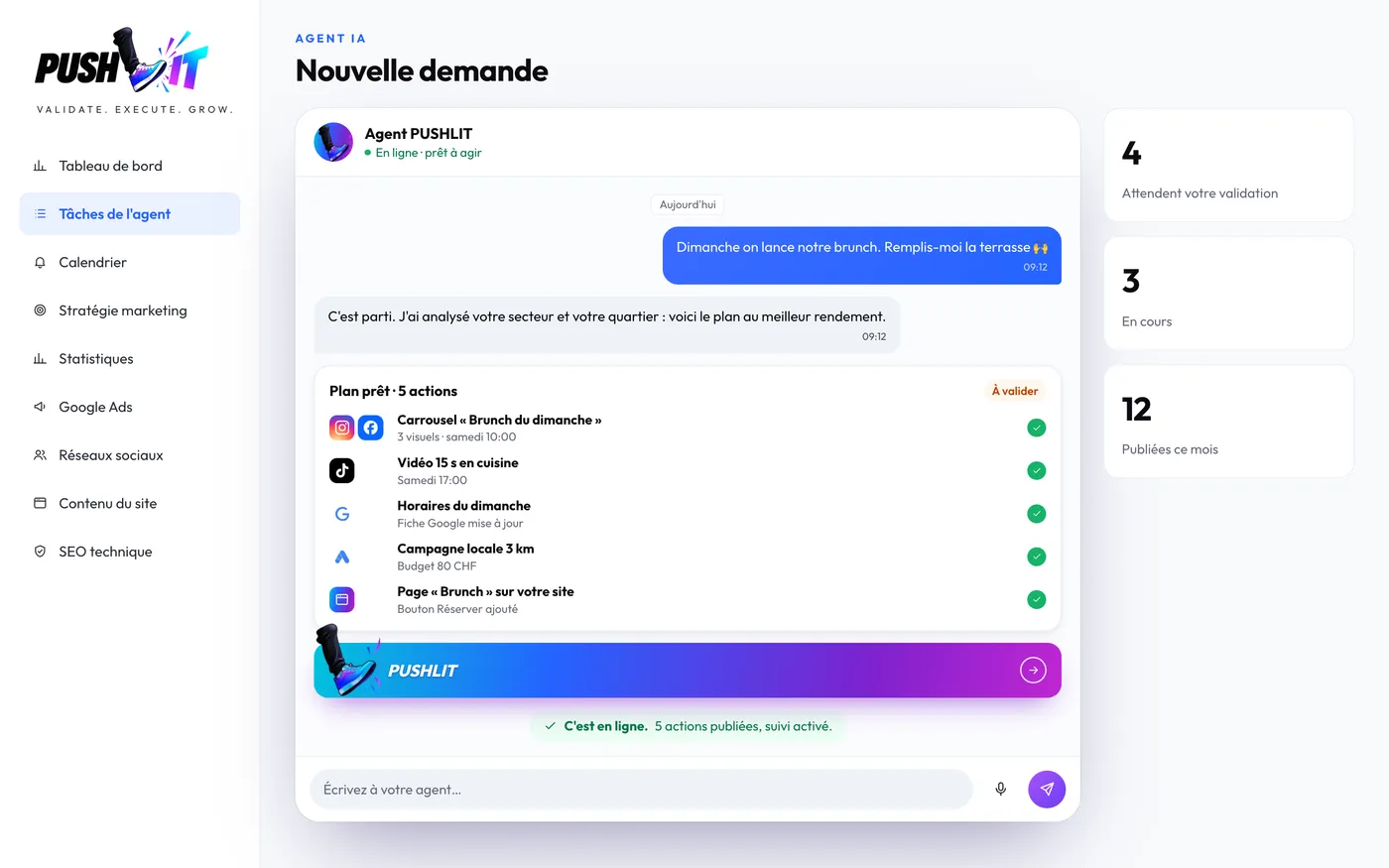
Requests in the chat
You write what you want, the agent prepares the plan and follows every task through to completion.
-
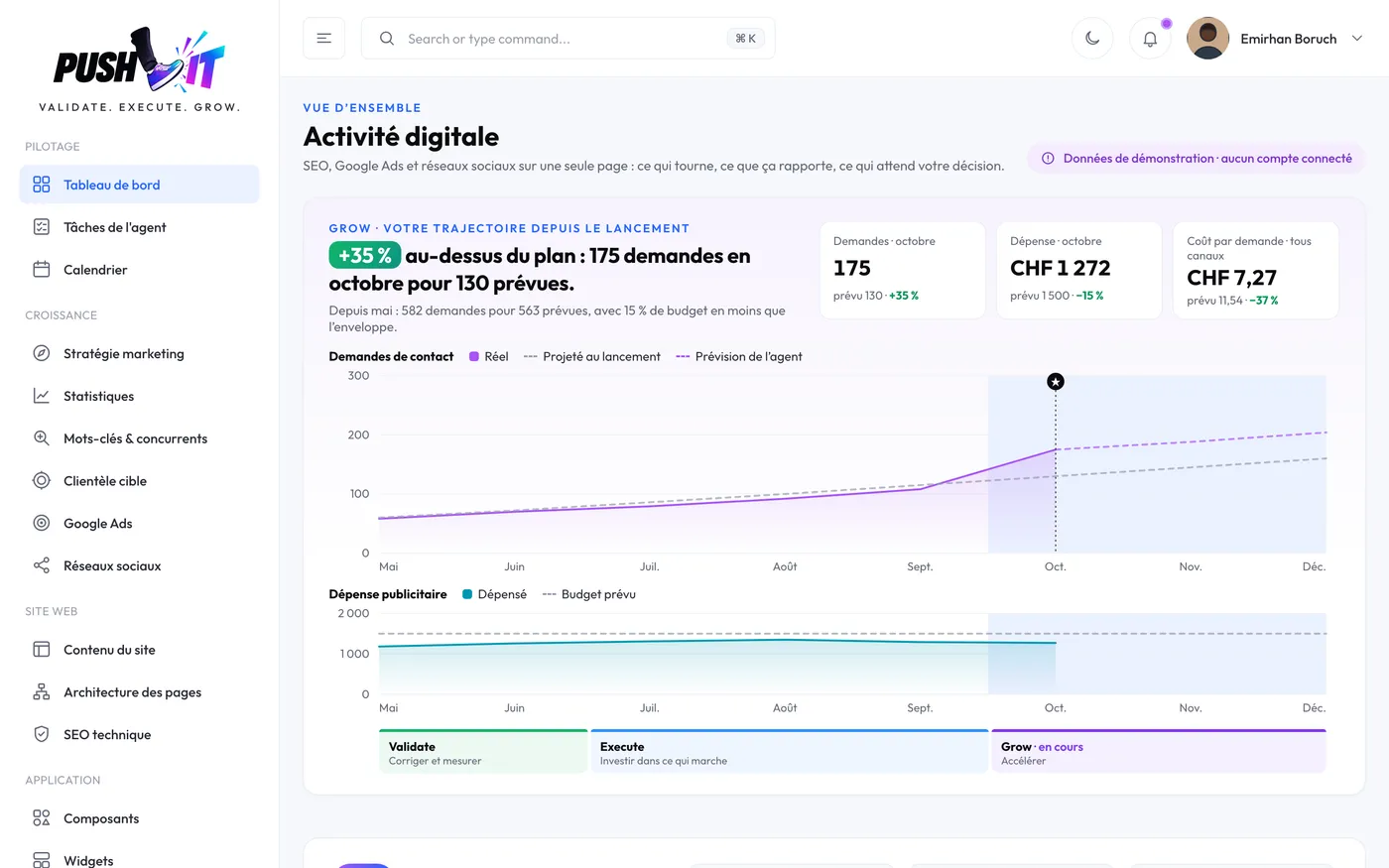
Unified dashboard
SEO, advertising and social media on one page: what's running, what it brings in, the decisions to make.
-
Google reviews
Your Google reviews collected and replies suggested, so you can look after your reputation without spending your evenings on it.
-

Customers and emails
Your customers sorted by status, active, prospects or to follow up, with the history of your exchanges.
-

Quotes and invoices
A quote with an acceptance link, a QR invoice or a credit note, prepared by the agent and approved by you.
-

Online shop
Sales and revenue for the month compared with your target, so you know where to act.
-
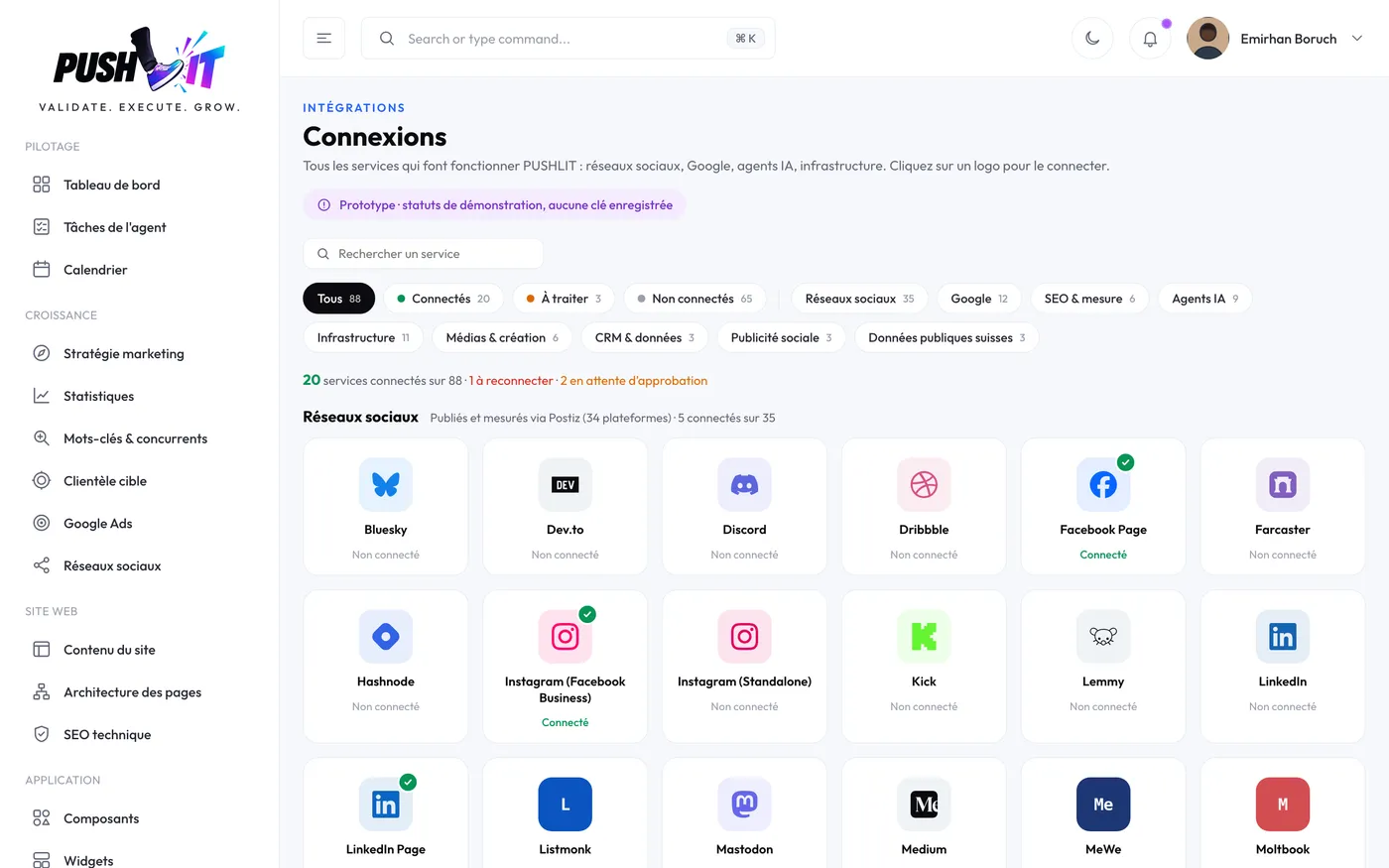
One-click connections
Social media, Google and your tools connect through official authorisation, with one click per service.
And much more
Your questions. Our answers.
What happens if an action fails?
The action moves to “failed” status, with the known reason. You can correct it and relaunch it. A new attempt after a failure does not use up any extra quota.
Can an operation be resumed?
Yes, as long as the cause of the failure has been fixed. The history keeps a record of the first attempt and of the retry.
Who authorises spending?
You, or the person you have given that right to. Advertising spend is never committed or increased without explicit approval.
What data is used?
The information you enter and that from the services you connect. Missing items are flagged instead of being made up.

See what the agent can do for your business.
A few questions about your line of business and your goals: you'll get a first read of your priorities, without creating an account.
- iOS
- Android
- Web app